
In This Guide Show
You can turn an ordinary selfie into a festive Diwali portrait by uploading it to Gemini or ChatGPT and pasting a detailed prompt. The six prompts below are ready to copy and cover diya portraits, family frames, rangoli, sparklers and a clean greeting card. Results change from one attempt to the next, so expect to generate two or three times before you get one worth sharing.
What you need before you start
- A clear photo of yourself. Face visible, good light, no sunglasses, no heavy filter. A blurry or side-angle photo is the most common reason the face in the result looks like someone else.
- An AI tool that accepts photo uploads. These prompts are written for the Gemini app and ChatGPT, both of which let you attach a photo and ask for an edited image. Free accounts usually have a daily limit on image generation, and the limit changes over time.
- Permission. Only upload photos of yourself or of people who have agreed to it. For children, think twice before uploading any photo to an online tool.
If you are new to these tools, read our beginner guide to free AI image tools first.
How to use these Diwali prompts
- Open Gemini or ChatGPT and start a new chat.
- Tap the plus or attach button and upload your photo.
- Copy one prompt from below, paste it, and change the parts in square brackets.
- Send it. If the face is not right, reply with a short correction such as “keep my face exactly as in the uploaded photo, do not change facial features”.
Prompt 1: Portrait holding a diya
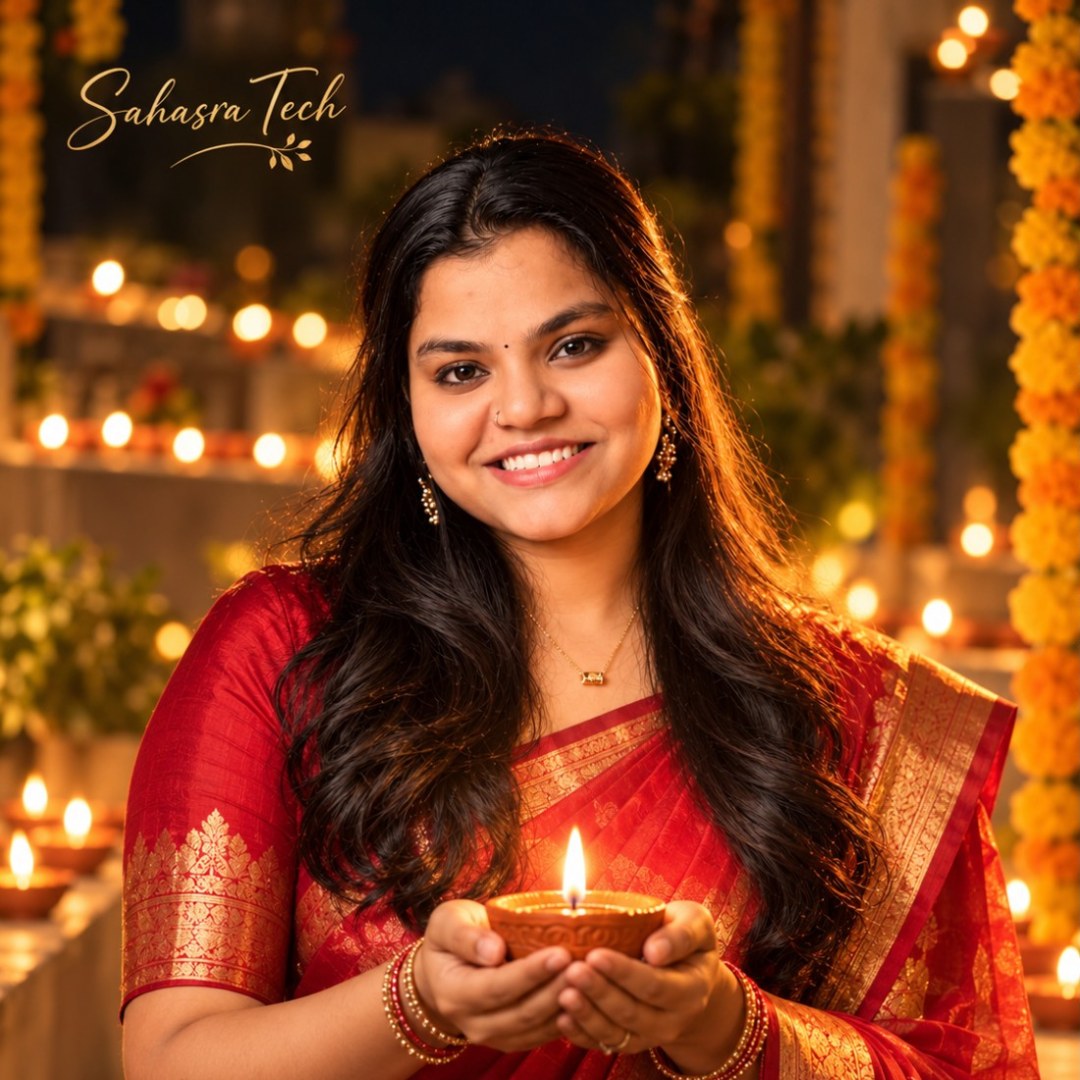
Use the uploaded photo as the face reference and keep the facial features, skin tone and hairstyle exactly the same. Create a realistic Diwali portrait of this person holding a lit clay diya in both hands at chest level. Outfit: [deep maroon kurta / red silk saree with gold border]. The warm glow of the diya lights the face softly from below. Background: a dark courtyard with rows of blurred diyas and marigold garlands, shallow depth of field, golden bokeh. Shot on an 85mm lens, soft warm tones, natural skin texture, vertical 4:5 frame. No other text, no watermark. Add a small calligraphy text logo that says "Sahasra Tech" in the top-left or bottom-right corner.
What to change: the outfit and the frame shape. Use 9:16 for a status or story and 4:5 for an Instagram post.
Prompt 2: Family photo at the doorstep
Use the uploaded family photo as reference and keep every person's face, age and height difference unchanged. Place the family at the entrance of a traditional Indian home decorated for Diwali: marigold torans on the door frame, a colourful rangoli on the floor, brass lamps on both sides. Everyone wears coordinated festive clothes in [cream and gold] tones and smiles naturally at the camera. Evening light, warm lamps, realistic photograph, sharp faces, horizontal 3:2 frame. Do not add or remove any person. No other text. Add a small calligraphy text logo that says "Sahasra Tech" in the top-left or bottom-right corner.
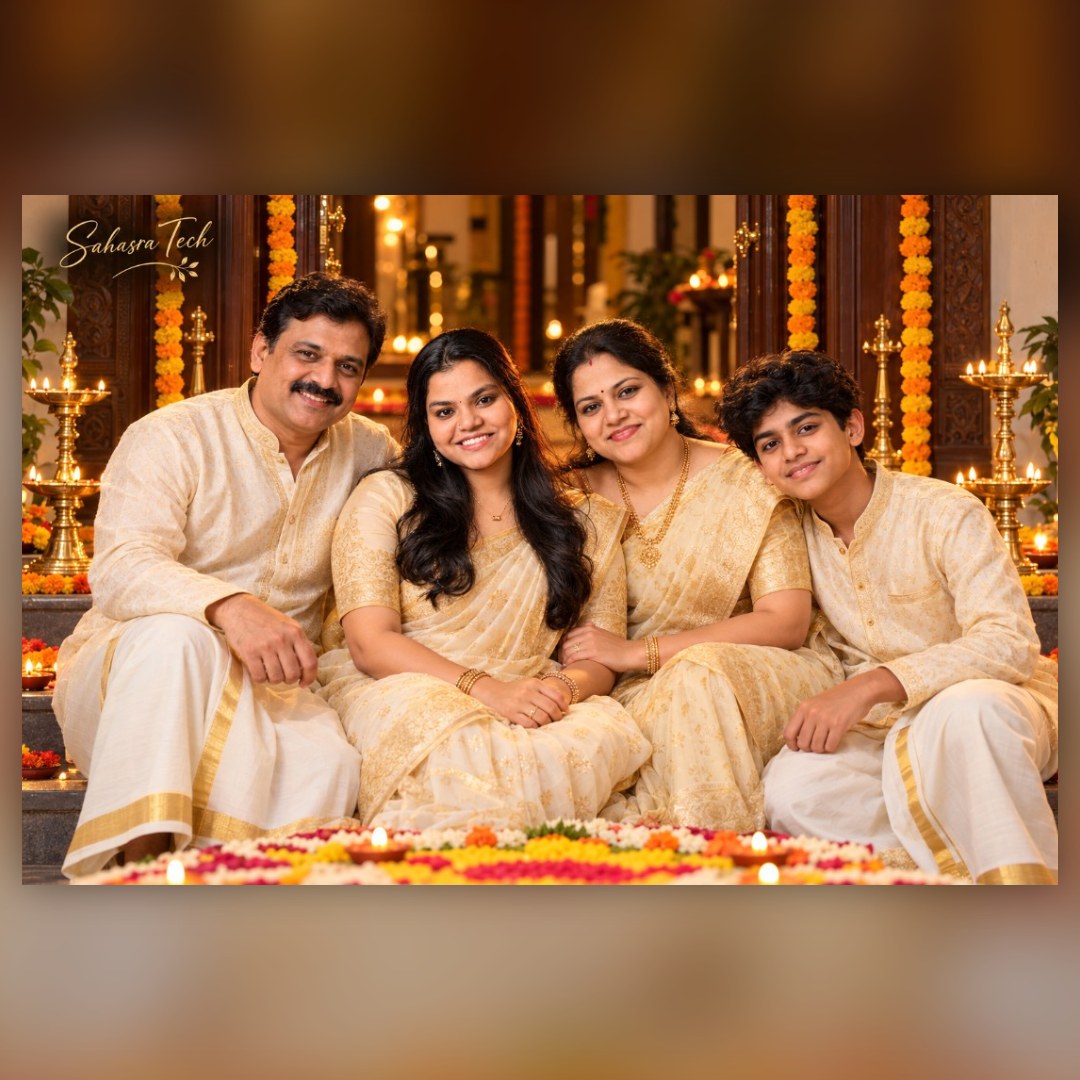
Tip: group photos are harder than single portraits. The more faces in the photo, the more likely one of them drifts. Start with a photo where every face is large and clearly lit.
Prompt 3: Sparkler night shot
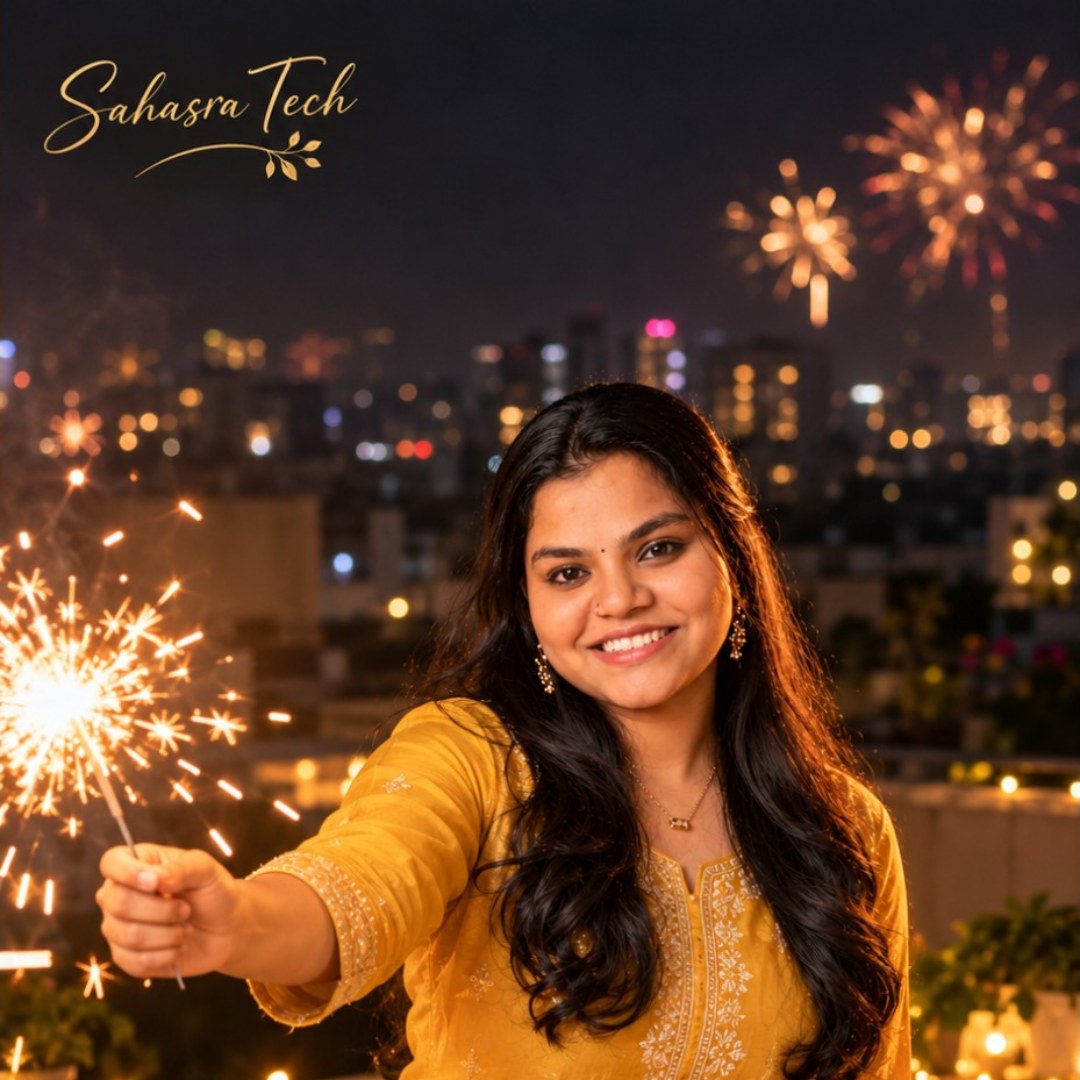
Use the uploaded photo as the face reference with no change to facial features. Create a candid night photograph of this person on a rooftop terrace holding a lit sparkler away from the body, laughing. Outfit: [mustard yellow kurta with white pyjama]. City lights and distant fireworks are softly blurred in the background. The sparkler throws warm light and small sparks, slight motion blur on the sparks only, face sharp. Cinematic colour, realistic skin, vertical 9:16 frame. No other text, no watermark. Add a small calligraphy text logo that says "Sahasra Tech" in the top-left or bottom-right corner.
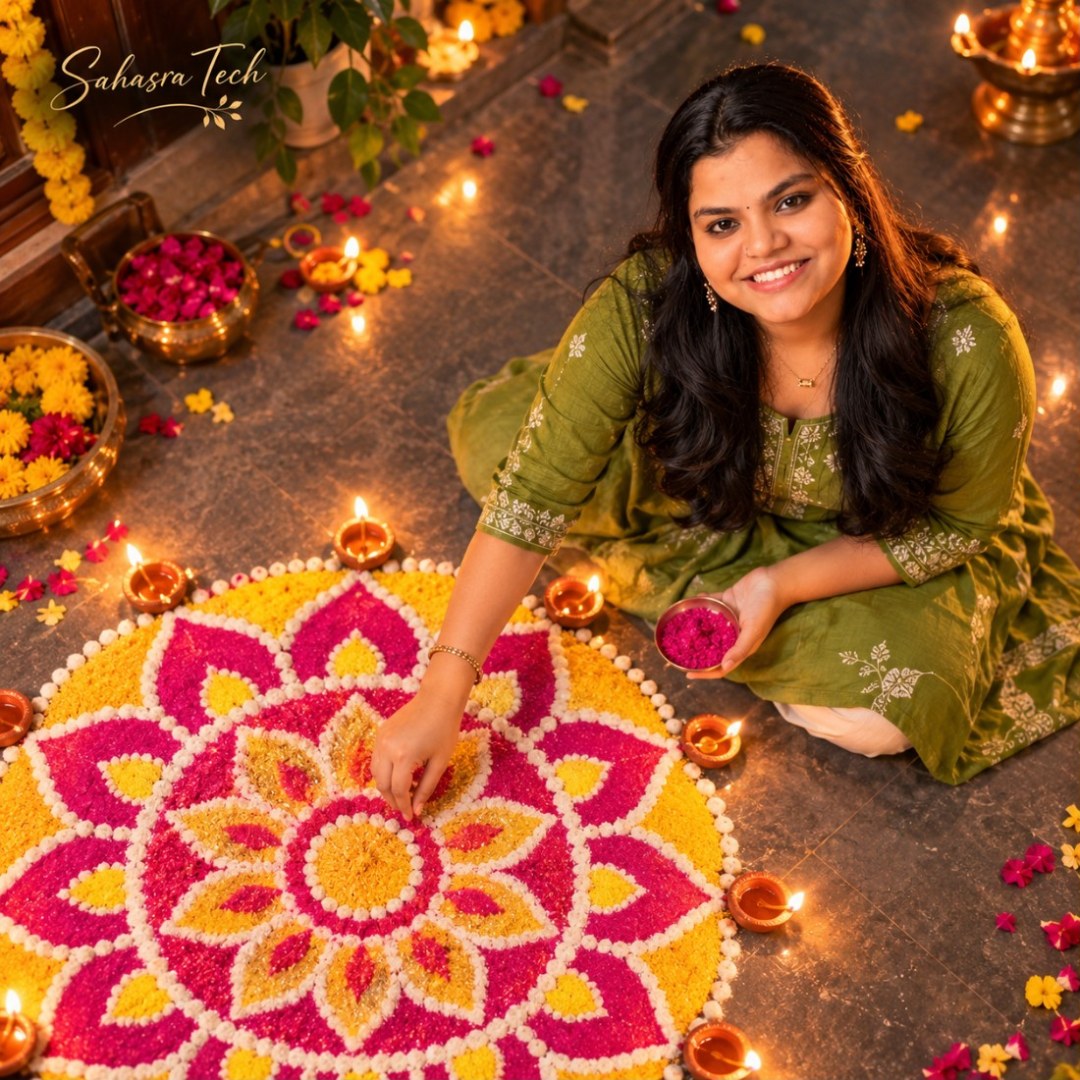
Prompt 4: Rangoli from above
Use the uploaded photo as the face reference. Create a top-down photograph of this person sitting on the floor finishing a large round rangoli made with [pink, yellow and white] powder, with small diyas placed around its edge. The person looks up at the camera and smiles. Outfit: simple [green cotton kurta]. Polished stone floor, flower petals scattered nearby, soft evening light from one side. Realistic photo, natural colours, square 1:1 frame. No other text. Add a small calligraphy text logo that says "Sahasra Tech" in the top-left or bottom-right corner.
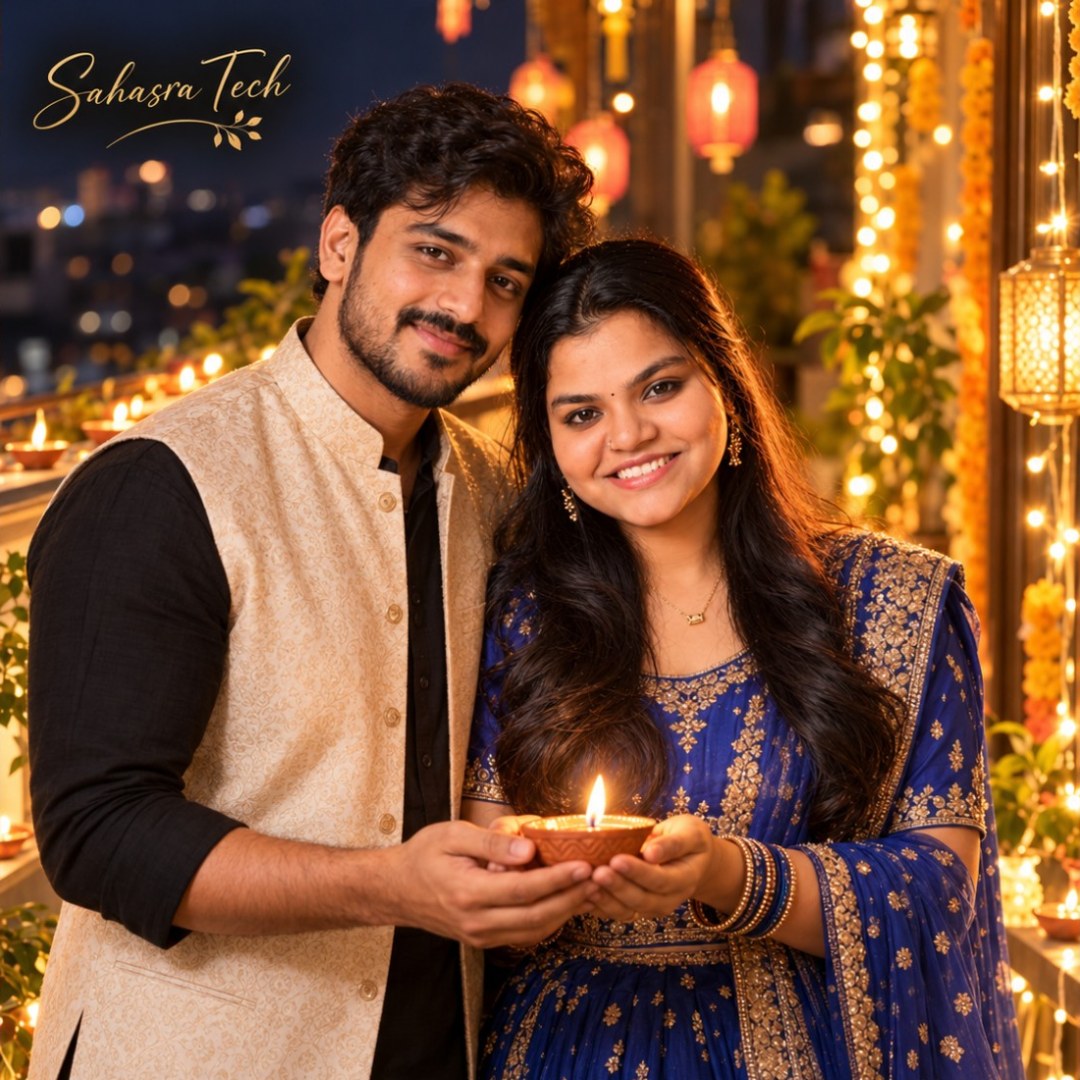
Prompt 5: Couple portrait with fairy lights
Use the two faces from the uploaded photo and keep both unchanged. Create a romantic Diwali portrait of this couple standing close on a balcony wrapped with warm fairy lights. She wears a [royal blue lehenga]; he wears a [black kurta with a beige Nehru jacket]. Both hold one diya together between them. Background softly blurred with hanging lanterns. Warm golden light on the faces, shallow depth of field, realistic photograph, vertical 4:5 frame. No other text, no watermark. Add a small calligraphy text logo that says "Sahasra Tech" in the top-left or bottom-right corner.
For more couple ideas, see our couple wallpaper prompt.
Prompt 6: Happy Diwali greeting card with your photo
Use the uploaded photo as the face reference. Design a vertical Diwali greeting card. Top half: a warm portrait of this person in festive clothes with joined hands in namaste, diyas glowing in the background. Bottom half: a deep maroon panel with a thin gold border and the text "Happy Diwali" in elegant gold serif letters, and below it in smaller letters "[Your family name]". Keep the spelling of all text exactly as written. Clean layout, 9:16 frame. Add a small calligraphy text logo that says "Sahasra Tech" in the top-left or bottom-right corner.
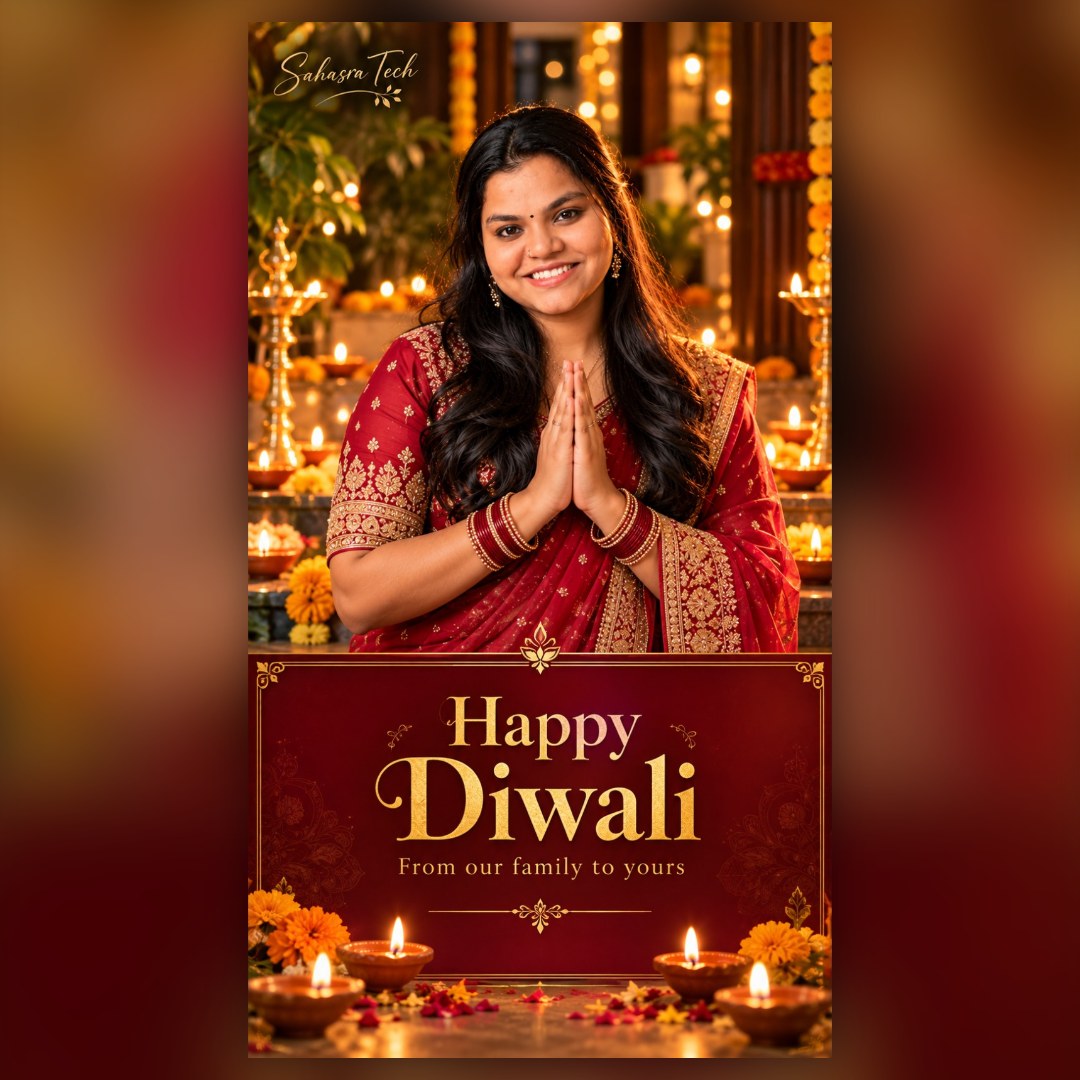
Note: AI tools sometimes misspell text inside images. Check every letter before you send the card. If the text is wrong, ask the tool to regenerate “with the text spelled exactly as given”, or generate the card without text and add the words in a photo editor.
What to change in any prompt
- Outfit and colour: replace the words in square brackets. Name the fabric and the colour, for example “peach georgette saree”.
- Location: courtyard, balcony, temple steps, living room with a decorated pooja corner.
- Light: “warm lamp light” gives a cosy look; “blue hour sky” gives a cooler, cinematic look.
- Frame: 9:16 for stories and status, 4:5 for feed posts, 1:1 for profile pictures.
The same structure works for any festival. Our guide on how to write better AI prompts explains why describing subject, outfit, light and frame separately gives cleaner results.
Common mistakes
- Uploading a low-quality photo. The tool can only copy the face it can see.
- Asking for too much in one go. Five people, three outfits and text in a single prompt usually breaks something. Split it into steps.
- Ignoring hands. Look at fingers holding diyas and sparklers. If they look wrong, regenerate.
- Posting it as a real photo. If someone asks, say it is AI-edited. It avoids awkward questions later.
- Trying real firecracker poses. The AI version is the safe one. Do not copy risky poses with real crackers.
Gemini or ChatGPT: which one for these prompts?
Both accept the prompts above without changes. Which one keeps your face closer depends on the photo and on the current version of each tool, and that changes often. The practical approach is to try the same prompt in both and keep the better result. If one tool refuses a photo or has reached its free limit for the day, use the other.
FAQ
Are these Diwali AI photo prompts free to use?
Yes. You can copy and change them freely. The AI tools themselves may limit how many images a free account can create in a day, and that limit changes over time.
Why does the face in the result not look like me?
Usually the uploaded photo is small, dark or taken from the side. Use a clear front-facing photo and add a line asking the tool to keep the facial features exactly as in the uploaded photo.
Can I use these prompts for a family photo?
Yes, use the doorstep family prompt. Group photos are harder for AI tools, so start with a photo where every face is large and well lit, and check each face in the result.
Which size should I choose for WhatsApp status and Instagram?
Ask for a 9:16 frame for WhatsApp status and Instagram stories, 4:5 for Instagram feed posts and 1:1 for a profile picture.
Is it safe to upload my photo to an AI tool?
Upload only photos you are comfortable sharing with that service, read its privacy settings, and avoid uploading photos of other people without their permission.
3 thoughts on “Diwali AI Photo Prompts for Gemini and ChatGPT”