
In This Guide Show
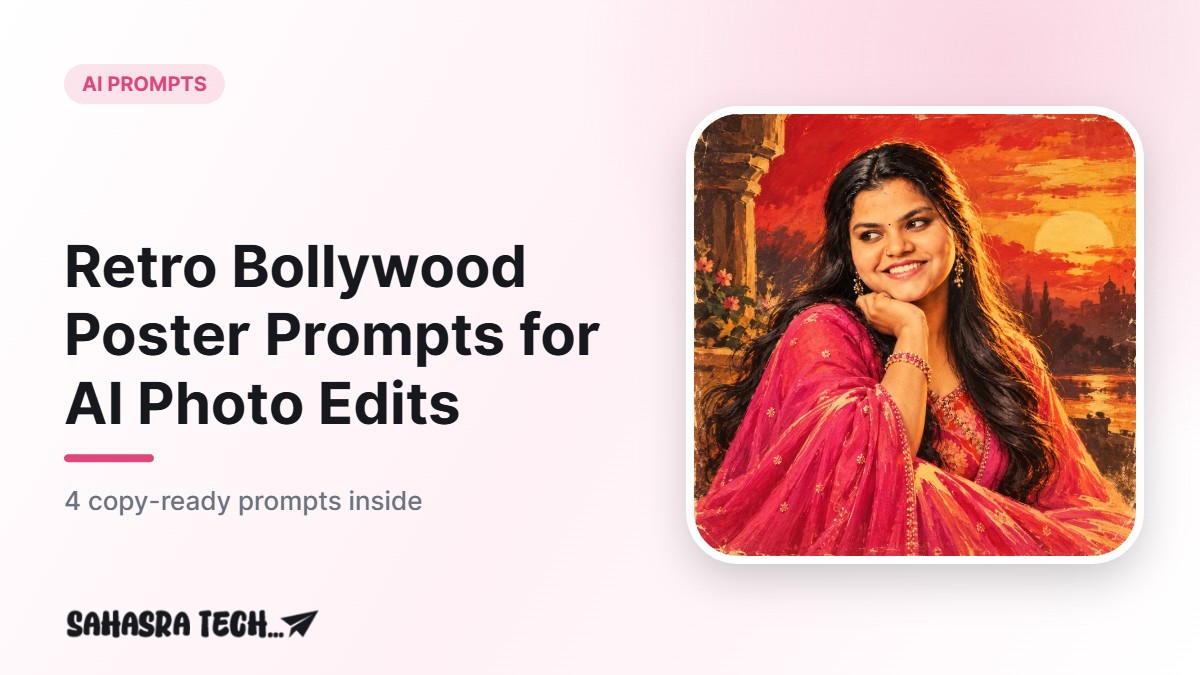
To get a retro Bollywood poster look, upload your own clear photo in ChatGPT or Gemini and ask for a hand-painted, vintage film poster style with warm colours and a dramatic pose. The prompts below are copy-ready. Replace the words in brackets, and always keep the title invented so you do not copy a real film.
What is the retro poster style?
Old Hindi film posters were often painted by hand. They had bold colours, dramatic faces, big lettering and a slightly dreamy look. AI tools can imitate this general style when you describe it in words. You are asking for a style, not a copy of any particular poster.
- Colour: warm reds, mustard yellow, teal and cream.
- Texture: paint strokes, a little paper grain and faded edges.
- Mood: dramatic lighting and a confident pose.
Before you start: photo tips
- Pick a photo with your face clearly visible and good light.
- Avoid heavy filters. The AI works better on a natural photo.
- Use a plain background if you can.
- Do not upload ID cards or documents. Use a normal portrait only.
Prompt 1: Classic hand-painted poster
Using the uploaded photo, create a vintage hand-painted Indian film poster in the style of the 1970s. Keep my face, hair and features natural and recognisable. Show me in a dramatic three-quarter pose with warm sunset lighting. Use bold reds, mustard yellow and cream colours, visible brush strokes and slightly faded paper texture. Leave space at the bottom for a title. Portrait orientation, no real film names, no real actor names, no logos.
Prompt 2: Retro romance poster
Using the uploaded photo, make a retro romantic film poster look with soft pastel painting colours, a gentle glow and a dreamy hill-station background. Keep my face natural and recognisable. Elegant vintage clothing inspired by the 1960s is fine. Add a decorative border and an empty banner at the bottom for a title. Do not add any real movie titles or real people.
Prompt 3: Action hero poster
Using the uploaded photo, create an action movie poster in a retro painted style. Keep my face recognisable. Show me standing confidently with a dramatic orange and blue sky, dust and soft smoke behind me. Strong shadows, thick brush strokes, slightly worn paper look. Leave the top area empty for a title. No weapons, no real names, no logos.
Prompt 4: Family or group poster
Using the uploaded group photo of me and my friends who have agreed to this, make a fun retro film poster. Keep everyone’s faces natural and recognisable. Colourful painted style with bold yellow and red lettering space at the top, vintage film grain and a bright festival backdrop. No real film names, no real actors.
How to use the prompts
- Open ChatGPT or Gemini and attach your photo using the plus or attachment button. The exact place depends on the app version.
- Paste the prompt and wait for the image.
- If the face looks different, write: “Keep the face exactly as in the photo, change only the style.”
- Add your poster title with a free editor. AI often spells lettering wrongly, so adding text yourself is safer.
- Download and share. Mention that it is AI edited if you post it publicly.
Common mistakes
- Asking for a real movie look: use only the general style.
- Low quality photo: blurred input gives blurred faces.
- Too many instructions: keep one clear style per prompt.
- Uploading other people’s photos without asking: always take permission first.
Ideas to try next
If you like photo styles, try our Diwali AI photo prompts for festive looks, or use old photo restoration prompts to repair family pictures. For a professional picture, see the AI headshot prompts.
Results differ every time, so run the same prompt two or three times and pick the best. Save your best version and keep the original photo safe.
How to write your own poster prompt
Once you understand the pattern, you can make unlimited versions. A good prompt has five parts: the photo instruction, the style, the colours, the mood and the layout. For example: “Using my photo (instruction), make a vintage painted poster (style) with teal and mustard colours (colours), a heroic confident pose (mood) and an empty banner at the bottom (layout).” If you change only one part at a time, you can see what each part does.
Using the poster safely
Posters made this way are for fun and personal sharing. Do not use them to pretend that you appeared in a real film, and do not use the poster for advertising without checking the tool’s terms of use. Do not put real phone numbers or addresses on it. If you share a group poster, ask everyone first. Also remember that AI can slightly change faces, so do not use these images for official documents or ID photos.
Quick checklist before you post
- Is the face still recognisable and natural?
- Is any text spelled correctly?
- Are there any logos or real names that you should remove?
- Did everyone in the photo agree?
FAQ
Can I use any photo?
Use a clear photo of yourself, or of someone who has agreed. Avoid photos of strangers, children you do not know, or celebrities.
Will the AI keep my face the same?
Not always. Results vary by tool and by day. Ask for “keep my face and features natural and recognisable” and try again if the face changes too much.
Can I add a movie name or a star’s name?
It is better not to. Use an invented title and your own name, so you avoid using real film names or famous people’s likeness.
Is this free?
Both tools have free options with limits that change often. Check inside the app for your current photo upload and image limits.