
In This Guide Show
I’ve made a lot of beautiful study timetables in my life. Colour-coded, perfectly divided into 30-minute blocks, stuck on the wall above my desk. I followed most of them for about three days.
The problem was never the timetable. It was that I planned for a version of me that didn’t exist – one who studied 10 hours without getting tired, never had a family function, and never lost two hours to YouTube. AI tools like Gemini and ChatGPT can actually help with this, if you use them to plan for the real you. Here’s how.
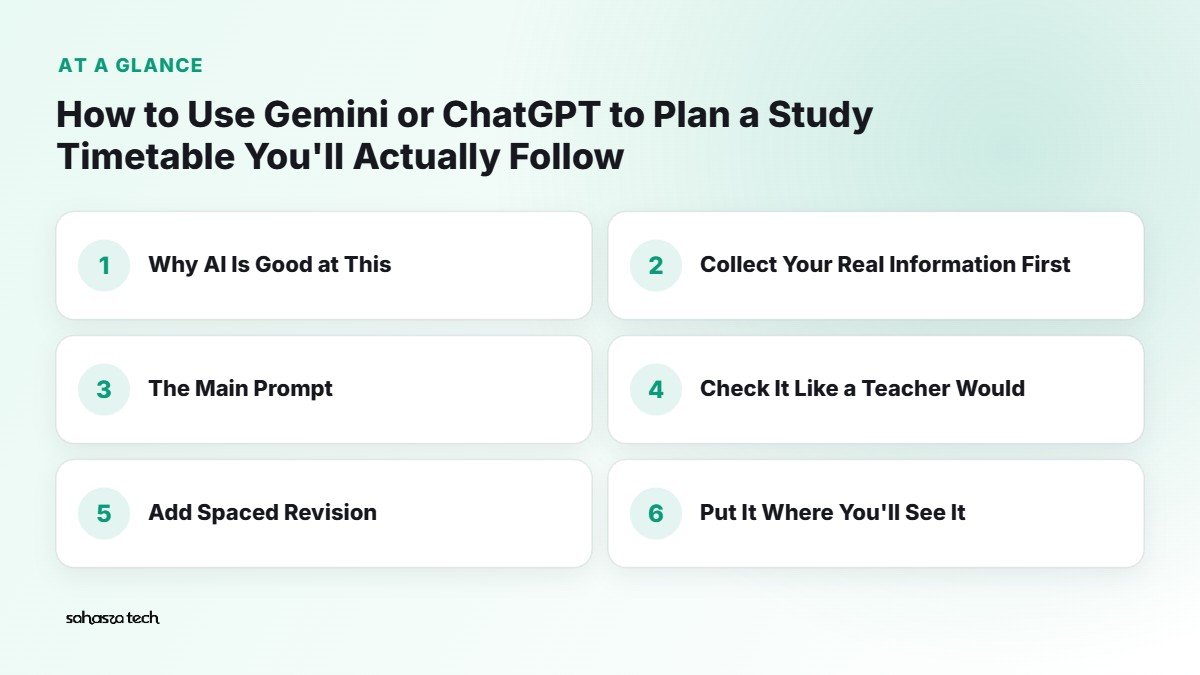
Why AI Is Good at This (and Where It Isn’t)
AI chatbots are surprisingly useful for timetables because they’re good at:
- Breaking a big syllabus into smaller chunks
- Spreading topics across days and weeks
- Rearranging the plan quickly when life happens
- Adding revision cycles you’d probably forget
What they’re not good at:
- Knowing how fast you actually study (unless you tell them)
- Knowing your exam pattern or which chapters carry more marks
- Being honest about your energy levels – that’s your job
So the trick is: you give it honest information, it does the arranging.
Step 1: Collect Your Real Information First
Before opening any AI tool, spend 10 minutes writing these down. Seriously, don’t skip this.
- Exam date(s) – and which subject is on which day.
- Syllabus – chapters or units for each subject. Copy them from your syllabus PDF if you have one.
- Your weak and strong subjects. Be honest.
- Fixed commitments – college hours, coaching, tuition, travel time, household responsibilities.
- Your real available time – not the ideal. If you usually manage 4 focused hours on weekdays, say 4, not 8.
- When you focus best – early morning person? Late night? After lunch nap? (Same, sometimes.)
Step 2: The Main Prompt
Open ChatGPT or Gemini and paste something like this, filled in with your details:
I’m a [2nd year BCom / Class 12 CBSE / JEE aspirant] student. My exams start on [date]. Here are my subjects and syllabus:
[paste subjects and chapters]My strong subjects: [ ]. Weak subjects: [ ].
On weekdays I have college from [time] to [time] and travel takes [ ] hours. Realistically I can study about [X] hours on weekdays and [Y] hours on weekends.
I focus best in the [morning/evening].Please create a day-by-day study plan from today until the exam. Rules:
– Give more time to weak subjects, but don’t skip strong ones.
– Include revision days, and a full revision of everything in the last [5] days.
– Keep one half-day free each week as buffer for catching up.
– Use study blocks of 45–50 minutes with 10-minute breaks.
– Show it as a table with Date, Time slot, Subject, Topic.
– If the syllabus doesn’t fit in the time, tell me honestly instead of squeezing it.
That last line matters. Without it, AI sometimes produces a plan that looks fine but is impossible.
Step 3: Check It Like a Teacher Would
Don’t accept the first version. Read through it and look for:
- Too many heavy topics on one day. Two tough maths chapters plus a long accounts chapter in one evening? Not happening.
- No breaks or meals. Some plans forget you need dinner.
- Revision missing. If a chapter is studied once and never revisited, it’ll be gone by exam day.
- The buffer day. Is it actually there?
Then reply with fixes:
This looks too heavy on Tuesdays and Thursdays because I have coaching till 7 PM. Reduce those days to 2 hours of light revision. Move the extra load to the weekend.
AI is great at this kind of back-and-forth. It doesn’t get annoyed when you ask for the fifth version.
Step 4: Add Spaced Revision
One study habit that research broadly supports is spaced repetition – reviewing something after a gap, then a longer gap, and so on, instead of cramming it all at once.
You can ask the AI to build that in:
For each chapter, schedule a quick 15-minute revision 1 day after I study it, another after about 1 week, and a final one in the last revision week.
You’ll notice the timetable suddenly has small revision slots sprinkled everywhere. That’s a good sign.
Step 5: Put It Where You’ll See It
A timetable inside a chat window is easy to forget. Move it somewhere you check daily:
- Google Sheets: ask the AI to “format this as a CSV”, copy it, and paste into Sheets (use Data → Split text to columns if it all lands in one column).
- Google Calendar: if you use Gemini with Google apps connected, you may be able to ask it to add events directly. Otherwise, add the main blocks manually – even just the subject names – and turn on notifications.
- Paper: honestly, a printed sheet on the wall where you tick off each block still works brilliantly.
Step 6: Make It Survive Real Life
This is where most timetables die. You miss one day, then feel guilty, then abandon the whole thing.
Plan for that from the start:
Use the AI as a re-planner, not just a planner. When you fall behind, go back to the same chat and say:
I missed yesterday completely and only finished half of today’s topics. Here’s what’s left: [list]. Rearrange the rest of the plan. Keep the exam date the same and don’t increase my daily hours.
You get a fresh, realistic plan in seconds. No guilt, just adjustment.
A few small habits that helped me:
- Start with the easiest block of the day. Momentum matters.
- Keep your phone in another room for study blocks. Or use Focus mode / Digital Wellbeing on Android to pause distracting apps.
- Track what you actually did. Even a simple tick or cross. After a week, you’ll know your real pace – and you can tell the AI to adjust.
- Sunday check-in: spend 10 minutes reviewing the week and asking the AI to adjust next week’s plan.
Useful Extra Prompts
For making a topic less scary:
Break [chapter name] into 5–6 small subtopics I can study in 30-minute pieces.
For practice:
Give me 10 practice questions on [topic] at [CBSE Class 12 / university] level. Don’t show answers until I ask.
For the night before:
Make a one-page summary checklist for [subject] from this list of chapters. Only key formulas, definitions and diagrams to remember.
For burnout days:
I’m feeling exhausted today. Suggest a lighter 2-hour plan from my schedule that still keeps me on track.
A Few Honest Warnings
- Don’t trust AI for your syllabus or exam pattern. It may guess wrong or use an old pattern. Always use your official syllabus and your teacher’s guidance.
- Weightage claims need checking. If it says “Chapter 5 carries the most marks”, verify with previous year papers or your teacher.
- The plan is not the studying. It’s tempting to spend two hours perfecting the timetable. I’ve been there. Make a good-enough plan and start.
- Rest is part of the plan. Sleep affects memory and focus. A plan that cuts sleep to 4 hours isn’t clever, it’s just tiring.
Gemini or ChatGPT – Which Is Better for This?
Both work well. A few small differences from my use:
- Gemini fits nicely if you live in Google apps – Sheets, Calendar, Docs.
- ChatGPT is a solid all-rounder and handles long back-and-forth adjustments well.
- Both free versions are enough for timetable planning. You don’t need a paid plan for this.
Pick whichever you already use. The prompts above work in both.
FAQ
Can AI make a timetable for board exams?
Yes, if you give it your syllabus, exam dates and realistic study hours. Always cross-check with your school’s syllabus and teachers.
How many hours should I study per day?
There’s no single right number. Start with what you can realistically sustain, track it for a week, then adjust.
What if I keep falling behind the timetable?
That usually means the plan is too ambitious. Ask the AI to replan with fewer daily hours and more buffer time.
Is it okay to use AI for study planning?
Yes. Planning and organising is one of the most harmless and useful ways to use AI as a student.