
In This Guide Show
In This Guide
- 50+ ChatGPT Look Makeover Commands
- How to Use These ChatGPT Look Commands
- ⭐ The 3 Commands From the Reel
- 💇 Hairstyle Commands
- ✨ Skin & Glow Commands
- 🎨 Outfit Colour & Style Commands
- 💄 Makeup Look Commands
- 👓 Glasses & Accessories Commands
- 🧔 Men’s Grooming Commands
- 🔁 Full Glow-Up Commands
- 🔥 Top 10 Look Commands to Try First
- Tips for the Best Results
- More AI & Tech Tricks
- Official Resources
- More AI Prompts & Guides
SAHASRA TECH
50+ ChatGPT Look Makeover Commands
Want to know which hairstyle suits your face, get a simple skin care routine, or find the outfit colours that match your skin tone? Upload your photo to ChatGPT, copy one of these slash commands, and let AI show you your best look.
How it works: Upload a clear photo → choose a command → tap Copy → paste it into ChatGPT → send.
How to Use These ChatGPT Look Commands
- Open ChatGPT and upload a clear, front-facing photo of yourself.
- Choose any command from this article.
- Tap the Copy button next to the command.
- Paste the command into ChatGPT and send it.
- Want changes? Reply with your details, for example “for long hair” or “keep my face exactly the same”.
⭐ The 3 Commands From the Reel
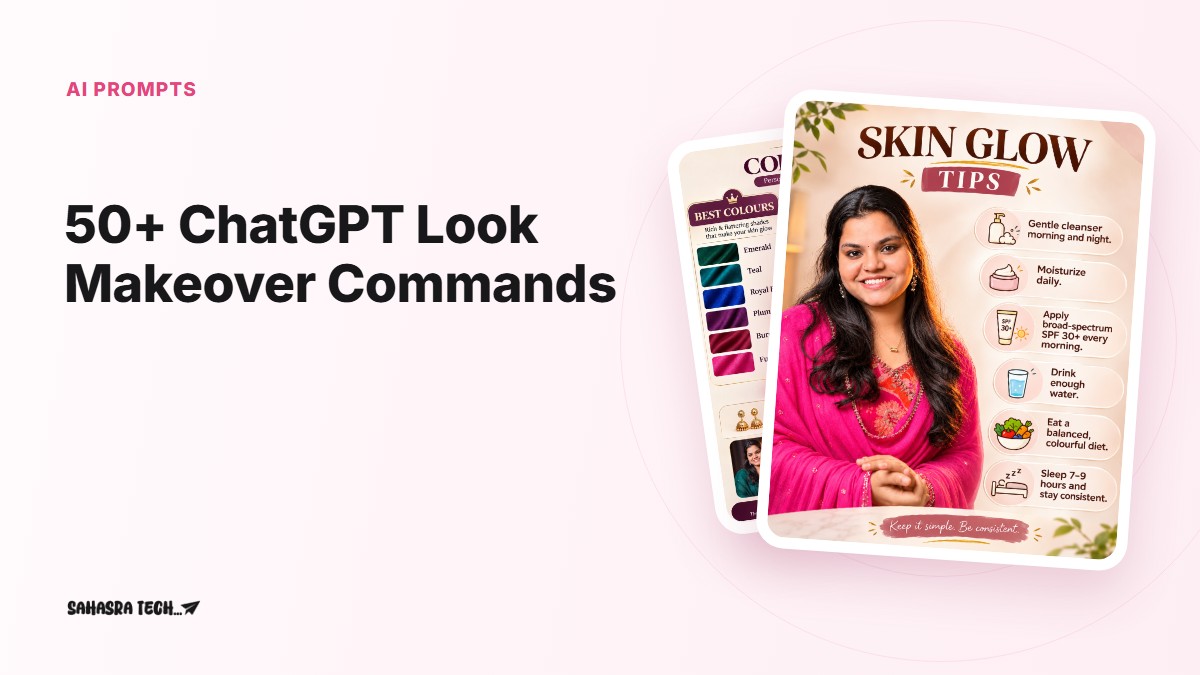
/HairstyleGrid/SkinGlowTips/ColourFitTips/HairstyleGrid– upload your photo and ChatGPT makes a 3×3 grid showing which hairstyles suit your face./SkinGlowTips– ChatGPT looks at your face and gives you a simple skin care routine to follow./ColourFitTips– ChatGPT makes a colour guide showing which outfit colours suit your skin tone.
💇 Hairstyle Commands
/HairstyleGrid/FaceShapeHaircut/HairColourTry/CurlyHairLook/ShortHairTry/BangsTry/BridalHairstyle/LongHairLook✨ Skin & Glow Commands
/SkinGlowTips/SkinTypeCheck/NightSkinRoutine/AcneCareRoutine/DarkCircleCare/SunscreenGuide/LipCareRoutine/GlowUpPlan🎨 Outfit Colour & Style Commands
/ColourFitTips/SkinToneColours/ColourDrapingTest/SareeColourMatch/KurtaColourGuide/OfficeOutfitGuide/WeddingOutfitIdeas/CapsuleWardrobe💄 Makeup Look Commands
/MakeupLookGrid/LipstickShadeTry/EyeMakeupStyles/NaturalMakeupLook/PartyMakeupLook/BridalMakeupLook/KajalStyles👓 Glasses & Accessories Commands
/GlassesFrameGrid/SunglassesTry/EarringStyleTry/BindiStyleGrid/NoseRingTry/JewelleryMatch/WatchStyleMatch🧔 Men’s Grooming Commands
/MensHairstyleGrid/BeardStyleGrid/MustacheStyleGrid/MensSkinRoutine/MensOutfitColours/FormalLookTry/SherwaniLookTry🔁 Full Glow-Up Commands
/GlowUpGrid/SeasonalColourAnalysis/PersonalStyleReport/WeddingReadyLook/BeforeAfterLook🔥 Top 10 Look Commands to Try First
/HairstyleGrid/SkinGlowTips/ColourFitTips/FaceShapeHaircut/SkinToneColours/MakeupLookGrid/GlassesFrameGrid/BeardStyleGrid/SareeColourMatch/GlowUpGridTips for the Best Results
- Use a clear, front-facing photo in natural daylight. Filters and heavy makeup change the skin and colour results.
- For skin and colour commands, use a photo without beauty mode so ChatGPT sees your real skin tone.
- If the face changes, reply with:
keep my face exactly the same as the uploaded photo. - Add your own details after any command, for example
/HairstyleGrid for wavy, shoulder-length hair. - Skin tips from AI are general suggestions, not medical advice. For acne, rashes or other skin problems, see a dermatologist.
More AI & Tech Tricks
Save this page and come back whenever you want to try a new look. For more AI prompts, tech tricks, gadgets and useful tools,
For more tech & AI updates
Tip: Use only your own photos or photos you have permission to edit, and don’t use AI edits to mislead people or to make fake photos of real people.